
The Business Process Automation Audit: Find the 3 Workflows to Automate First
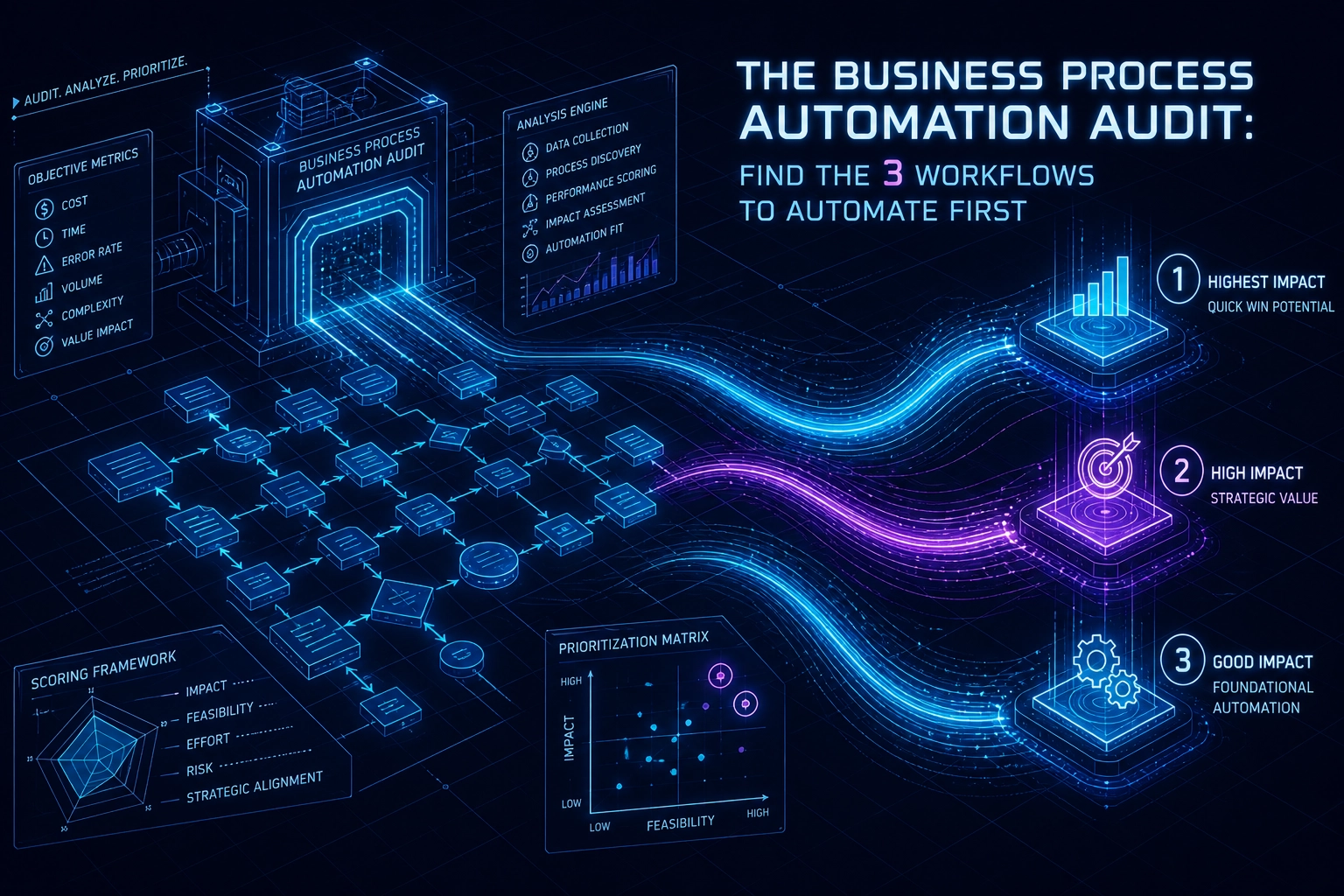
Most business process automation projects fail before they begin. Not because the technology is wrong, but because the selection process is. A vendor demo impresses the leadership team, a tool gets purchased, and only then does anyone ask which workflows it should actually handle. By that point, the budget is committed and the priorities are shaped by what the software can do rather than what the business genuinely needs.
There is a better starting point: a structured internal audit that you run before any technology decision is made.
This guide gives you a scored framework to evaluate every workflow in your operation against three criteria that consistently separate high-value automation candidates from low-value ones: repetition frequency, error cost, and human hours consumed. You will get a practical audit template, a decision framework for difficult calls, and real industry examples showing how the scores translate into clear action.
By the end, you will know exactly which three workflows to automate first, how to establish the baseline metrics that prove ROI, and what most audits miss before a single tool is selected.
Why Most Automation Projects Start in the Wrong Place
Most businesses arrive at automation the same way: a vendor reaches out, a demo gets scheduled, and suddenly the conversation is about what the platform can do rather than what the business actually needs. The tool enters before the diagnosis. That sequence is backwards, and it's expensive.
Vendor-led discovery is structurally biased by design. Automation software sales cycles are engineered to surface use cases that showcase the product's strengths, not necessarily the workflows generating the highest drag on your operations. A well-run demo will always find something to automate. It will rarely find the right thing.
The difference matters more than most teams realize. Forrester research shows that enterprise businesses can save 26,660 worker hours annually by automating just three workflows, the equivalent of 13 full-time employees reclaimed from manual work. But that result is not a product of picking any three workflows. It comes from identifying the three with the highest combined impact across frequency, error cost, and hours consumed. A vendor demo will surface three workflows. It will not reliably surface the right three.
The second failure point is measurement. When businesses skip a pre-implementation baseline, they lose the ability to credibly verify whether automation delivered value at all. Post-launch, there is no benchmark to compare against, so any ROI figure becomes an estimate dressed as a result. Most vendors do not flag this gap during the sales process, because establishing a rigorous baseline might slow the deal or complicate the scope.
The solution is an audit-first approach, and it is simpler than it sounds. Before any tool is evaluated, before any demo is booked, the business owner conducts a structured internal review of candidate workflows against three objective criteria. That review produces a scored shortlist. Technology selection becomes the last decision, not the first.
This approach also has a compounding benefit: it surfaces opportunities to reduce errors and improve consistency that vendor-led discovery routinely misses, because those workflows do not always make for compelling demos.
The following sections walk through exactly how to run that audit.
The Three Criteria That Separate High-Value Workflows from Low-Value Ones
The audit-first approach only delivers on its promise if the audit itself measures the right things. Three criteria consistently separate workflows worth automating from those that only feel urgent.
Criterion 1: Repetition Frequency
Ask how many times this task runs per week or per month, across all team members who touch it. Volume is leverage. A process that executes 200 times per month and takes five minutes per instance consumes over 16 hours of staff time monthly. An equally complex task that runs five times per month consumes 25 minutes. The per-instance effort is identical; the automation payoff is not. High-frequency workflows amplify every efficiency gain because the time saving compounds with every execution.
Criterion 2: Error and Cost Impact
Some workflows fail quietly and recover cheaply. Others create damage that spreads before anyone notices. Invoicing errors delay cash flow. Missed follow-ups on qualified leads have a directly calculable cost based on average deal value. Compliance failures accumulate penalties over time. The question to ask is not whether this workflow ever goes wrong, but what happens downstream when it does. High error-cost processes are strong automation candidates even when their frequency is moderate, because a single failure can outweigh months of labor savings.
Criterion 3: Human Hours Consumed
McKinsey Digital data shows that 60% of employees could save an average of 30% of their working time through workflow automation, but only when the right high-hour processes are targeted. The practical calculation is straightforward: time per task, multiplied by monthly frequency, multiplied by the hourly staff cost. That figure, annualized, gives you a hard dollar baseline before any tool decision is made. Workflows that represent measurable impact from day one are always grounded in this kind of pre-implementation labor cost data.
Why Three Independent Criteria Matter
Each criterion can be scored separately, which is what makes this audit objective and defensible. It removes gut instinct and internal politics from the prioritization conversation. One department head's "urgent" process may score a four; a back-office task nobody complains about may score a fourteen.
On scoring: distinguish between hard ROI (time saved, error correction costs, labor hours) and soft ROI (morale, brand reputation, process speed). Both are real. Only hard ROI belongs in your scored audit. Soft ROI validates the decision; it should not drive it.
The Scored Audit Template: How to Rate Every Workflow Objectively
With the three criteria defined, the next step is converting qualitative judgment into a number every workflow candidate gets scored on the same scale.
Each criterion scores on a 1 to 5 scale, producing a maximum of 15 points per workflow. That ceiling makes side-by-side comparison straightforward: score ten workflows, sort the column, and your top candidates surface without debate or politics.
Repetition Scoring
Score | Frequency |
|---|---|
1 | Fewer than 5 occurrences per month |
2 | 5 to 20 occurrences per month |
3 | Weekly across one or two team members |
4 | Multiple times per week across the team |
5 | Daily or multiple times per day, team-wide |
A task that runs once a week for one person scores differently than the same task running every morning across a five-person team. Count total instances, not just task types.
Error Cost Scoring
Score | Impact of a Single Error |
|---|---|
1 | No downstream consequence |
2 | Minor internal rework, no external impact |
3 | Noticeable delay or client friction |
4 | Client complaint or measurable financial loss |
5 | Customer escalation, regulatory exposure, or compliance risk |
Score this on the worst realistic outcome, not the average one. A single invoicing error that delays payment by 30 days scores a 5 regardless of how rarely it happens.
Human Hours Scoring
Calculate the annualized labor cost before assigning a score:
Time per task (hours) x Monthly frequency x Hourly staff cost x 12 = Annual labor cost
Score | Annual Labor Cost |
|---|---|
1 | Under $1,000 |
2 | $1,000 to $3,999 |
3 | $4,000 to $6,999 |
4 | $7,000 to $9,999 |
5 | $10,000 or more |
Worked Example
A manual client onboarding process runs 40 times per month. Each instance takes 45 minutes. The staff member handling it costs $60 per hour.
0.75 hours x 40 x $60 x 12 = $21,600 per year in labor alone.
That workflow scores: Repetition 5 (daily volume across the month), Error Cost 4 (missed steps create client friction and rework), Human Hours 5. Total: 14 out of 15. It belongs at the top of any automation shortlist.
Why You Need at Least 8 to 10 Candidates
Run this template against fewer than eight workflows and you are likely ranking the processes you already suspected rather than discovering the ones with the highest actual return. A wider candidate pool surfaces hidden opportunities, particularly in support, finance, and operations functions that rarely get visibility in executive-led reviews. The ranked output from ten scored workflows gives you a defensible shortlist; the ranked output from three gives you confirmation bias with a number attached.
When the Scores Conflict: A Decision Framework for Difficult Calls
A raw score tells you what ranks highest. A decision framework tells you whether that ranking is actually right.
Four patterns emerge regularly when audits produce ambiguous results, and each one requires a different response.
High frequency, low error cost. This is the most common trap. A daily notification task or recurring reminder looks attractive because it scores high on repetition. But if errors carry no real downstream consequence, the only justification for automation is human hours. If the total annual labor cost sits below your implementation threshold, leave it alone. Automating a five-minute daily task that causes no harm when it runs late is an efficiency project that will likely never recover its setup cost.
Low frequency, high error cost. This pattern produces some of the strongest automation candidates in any audit, despite low repetition scores. Quarterly financial reconciliations, contract renewals, and compliance reporting run infrequently, but a single failure can trigger financial penalties, delayed revenue, or lost client relationships. When the cost of one error exceeds twelve months of automation fees, frequency becomes almost irrelevant. Score it on consequence, not cadence.
High hours, low frequency. Before committing to full automation here, investigate batching. A workflow that consumes significant staff time but runs only a few times per year may not need an end-to-end automated solution. Workflow-assisted tooling, such as structured templates, CRM triggers, or pre-built checklist automation, can recover a substantial portion of the time saving at a fraction of the implementation cost.
All three criteria score high. This is the clearest signal the audit produces. Act on it immediately. Before selecting any business process automation tooling, benchmark the current state in detail: time per instance, monthly volume, error rate, and rework time. Set measurable KPIs now. The post-launch ROI calculation is only credible if the pre-launch baseline is documented.
Resolving ties. When two workflows finish with equal total scores, use error cost as the tiebreaker. Time savings are recoverable; eroded customer trust is not. A broken process compounds quietly until it becomes a reputation problem, and no efficiency gain offsets that outcome.
Running the Audit in Practice: Examples Across Industries
The decision framework tells you how to resolve conflicts between scores. What follows shows what those scores look like against real workflows, across the business types where automation consistently delivers the clearest returns.
Professional services firms tend to see the highest audit scores on three workflows: manual timesheet collection, invoice generation, and client status reporting. All three are high-frequency, staff-hour-intensive, and carry real error costs. A single invoicing error can push payment collection past 30 days, compressing cash flow in a way that compounds across a client roster. These workflows reliably land between 12 and 15 out of 15 on the scoring model.
E-commerce and retail operations surface a different pattern. Order confirmation emails and inventory threshold alerts score high on repetition and hours, but inventory management errors are where maximum error-cost scores appear. A missed restock alert doesn't just create a stockout; it triggers a chain of fulfillment delays, customer service volume, and potential refunds. Return processing carries similar downstream weight. These are not just high-scoring workflows; they are workflows where doing nothing has a compounding cost.
Real estate and property management firms almost always identify lead follow-up sequences, lease renewal reminders, and maintenance request routing as their top candidates. The financial case for lead follow-up is unusually direct: a missed response on a qualified lead has a calculable cost tied to average deal value, which makes scoring error impact straightforward rather than estimated.
Recruitment and HR teams absorb significant hours in candidate screening acknowledgements, interview scheduling, and onboarding document collection. The work is cognitively simple but time-intensive. That imbalance, high hours relative to complexity, produces strong audit scores with low implementation risk. If you want to see what this looks like in a structured format, Want to automate your hiring workflow? walks through an applied example.
Sales teams are supported by the clearest external evidence. McKinsey research confirms approximately one-third of sales and sales operations tasks can be automated, with CRM data entry, quote generation, and pipeline stage updates appearing most frequently in high-scoring audits. Early adopters have documented 10 to 15 percent efficiency improvements.
Agency and marketing operations round out the pattern. Client reporting, social scheduling approval chains, and campaign performance summaries are high-frequency workflows with moderate error cost. They score well and are typically compatible with existing business process automation tools, making them practical early wins.
The industries served by Automation by Meir span most of these categories, and the audit scores reflect a consistent finding: the highest-value workflows are rarely the most technically complex ones.
Setting Your Baseline Before Any Tool Is Selected
Once you've scored your candidate workflows and identified your top three, the temptation is to open a browser tab and start evaluating tools. Resist it. The step that separates automation projects with measurable ROI from ones that deliver vague productivity claims is establishing a documented baseline before any business process automation software is selected.
Pre-implementation benchmarking is now standard practice in serious automation engagements. Without it, any ROI figure you report after launch is an estimate built on memory, not measurement.
Record Five Data Points Per Workflow
For each of your top three workflows, document the following before anything changes:
Time per instance: How long does one execution of this task actually take, measured, not estimated
Monthly instance volume: How many times does it run in a typical month
Staff hourly cost: The fully-loaded cost of the person doing it
Average error rate: What percentage of instances contain a mistake
Rework time per error: How long does it take to find and fix one error
These five numbers are your measurement baseline. Every ROI claim you make after implementation gets tested against them.
Map the Current State Before Automating It
Document the process in a simple flow diagram before touching any automation tooling. This step routinely surfaces edge cases, exception paths, and manual judgment calls that are invisible in a verbal description. Automated workflows that skip this step tend to break in production because the exception that occurs 8% of the time was never accounted for in the build.
A flow diagram does not need to be sophisticated. A linear sequence with decision branches and exception notes is sufficient to expose fragility before it becomes an automated failure at scale.
Set Success Criteria Before Evaluating Tools
Define what success looks like in concrete, measurable terms before you open any conversation about business process automation tools. Examples that work: "Reduce invoice generation time from 45 minutes to under 5 minutes," or "Reduce onboarding errors from 12% to under 2%." These targets make tool evaluation objective; a platform either meets the requirement or it does not.
Calculate the Annual Labor Cost Baseline
Apply this formula to each top-three workflow:
Time per task × Monthly frequency × Hourly rate × 12 = Annual labor cost baseline
Compare that figure to realistic implementation and ongoing maintenance costs to calculate net ROI before committing to any platform. If you want a starting point for scoping what automation implementation typically involves, reviewing how automation project pricing is structured will ground your cost-side estimate.
Organizations that complete this baseline step before implementation consistently reach productive deployment faster, because scope is defined, success is measurable, and there is no ambiguity about whether the project delivered.
Audit Blind Spots: What the Scoring Template Won't Catch on Its Own
The scoring template gives you a ranked list. It does not give you a green light. Before committing any top-scoring workflow to build, run it through four checks the numbers cannot surface on their own.
Organizational readiness. A workflow that scores 15/15 is worthless if the team responsible for it is mid-migration on a core system, or operating at full capacity with no bandwidth to participate in implementation. Readiness to change is a prerequisite; it sits entirely outside the scoring model and must be assessed separately. Ask one question: can the people who own this workflow engage meaningfully in a build and testing cycle in the next 60 days? If the answer is no, push it to the next audit cycle regardless of its score.
Data quality dependencies. Automation amplifies whatever it operates on. A high-scoring workflow built on inconsistent, incomplete, or duplicate input data will produce automated errors at scale. Cleaning up those errors post-launch typically costs more than the manual process it replaced. Before committing to build, audit the data sources feeding the workflow. If the inputs are unreliable, fix the data problem first.
Exception volume. A workflow can have a low base error rate and still be a poor automation candidate. The signal to look for is frequent judgment calls disguised as routine steps. If team members regularly deviate from the standard path because of one-off client requests, legacy account rules, or situational context, that workflow has high exception volume. High exception volume resists clean automation regardless of how well it scores.
Integration complexity. Workflows that span three or more disconnected systems score well on human hours consumed, because manual bridging between systems is genuinely time-intensive. But multi-system workflows carry hidden implementation costs: custom API work, data mapping, error handling across connection points, and ongoing maintenance when upstream systems change. Those costs can quietly erode projected ROI. What changed for the institution in a real integration project illustrates exactly how implementation scope expands once the full system map is visible.
The common thread in workflows that scored well but underperformed post-automation: the audit captured the typical case, not the edge cases. Build a discovery step after scoring. Map every exception before you commit to build.
From Audit to Action: What to Do With Your Top Three Candidates
Once you've addressed the blind spots and confirmed your top three workflows are genuinely ready for implementation, the sequence in which you build matters as much as what you build.
Start with the workflow that combines the highest audit score with the lowest implementation complexity. This is not the same as starting with the highest projected ROI. A workflow promising $40,000 in annual savings but requiring four system integrations and a data migration will stall, absorb political capital, and poison appetite for everything that follows. The workflow scoring 13/15 that needs a single trigger and one conditional logic branch gets built in days, not months.
That first quick win is doing more than saving hours. It demonstrates to skeptical stakeholders that automation delivers on its promises, which directly accelerates resourcing and approval cycles for the second and third implementations. Teams that experience a clean, fast first deployment approach subsequent projects with fewer objections and more realistic expectations. The compounding effect on internal momentum is real, even if it's harder to put in a spreadsheet.
Technology selection comes after sequencing, and it should be workflow-specific. The wrong question is "which business process automation software should we buy?" The right question is "what does this specific workflow need in terms of triggers, data inputs, logic branches, and system connections?" A workflow that fires once per day from a single form submission needs a fundamentally different solution than one that runs hundreds of times daily across five connected systems.
For businesses where the audit surfaces CRM-heavy workflows, the opportunities typically cluster around lead routing, pipeline stage updates, and client communication sequences. These workflows share a common structure: a status change in one system should trigger a conditional action in another. Platforms built around multi-step triggers and conditional logic handle this pattern well without custom development.
When a top-scoring workflow involves proprietary data structures, complex branching logic, or integrations that off-the-shelf business process automation tools don't natively support, a custom solution is worth scoping seriously. The audit score tells you the workflow is high-value; the integration map tells you whether a standard platform can actually deliver it cleanly.
Bring an automation partner in after the audit, not before. Arriving with a scored workflow list, documented baselines, and defined success criteria fundamentally changes the nature of that conversation. Instead of being walked through a vendor's template use cases, you're presenting your business reality and evaluating whether a partner's capabilities match your specific, ranked priorities. That position gives you control over scope, timeline, and accountability from the first meeting.
Run the Audit Before You Touch a Single Tool
The methodology covered throughout this guide has one non-negotiable prerequisite: the audit comes first, and every other decision follows from it.
That sequence is what gives you control. When you run the audit before any vendor, platform, or technology enters the conversation, you arrive at those conversations with a ranked list, documented baselines, and defined success criteria. You are directing the engagement; the tool is not directing you.
The three scoring criteria are the audit. Rate each candidate workflow on repetition frequency, error cost, and human hours consumed. Resolve conflicts using the decision framework: high-frequency but low-error workflows earn lower priority than low-frequency, high-consequence ones. Where scores tie, let error cost break it. The output is a ranked shortlist built on evidence, not instinct or internal politics.
Your baseline data must exist before implementation begins. Record current time per instance, monthly volume, staff hourly cost, error rate, and rework time for each top-scoring workflow before any automation touches it. Without that benchmark, any ROI figure you report post-launch is a retrospective estimate, not a measurement. McKinsey data shows organizations implementing RPA can achieve 200% ROI within their first year; that number is only credible when there is a pre-implementation baseline to measure against.
When the audit surfaces complexity, escalate deliberately. Workflows involving custom branching logic, multi-system integration, or AI-driven decisions are not disqualified; they need a different first step. Bring your scored list and documented baseline to a scoping conversation with an automation specialist. You are not asking them to tell you what to automate. You are asking them to assess implementation complexity against priorities you have already established.
Your action this week:
List 10 candidate workflows
Score each against the three criteria using the 1-5 scale
Apply the decision framework to any scoring conflicts among the top scorers
Document your baseline metrics for the top three
Only then open a conversation about tools, platforms, or build partners
The businesses that see the fastest time-to-value from automation are not the ones that moved fastest. They are the ones that started with the clearest picture of what they were actually solving.
Conclusion
Most automation initiatives fail not because of bad technology, but because of poor target selection. This audit changes that equation by giving you an objective, repeatable method for identifying which workflows will actually deliver results.
The core lessons are clear: start with criteria, not tools; score workflows against volume, complexity, and strategic fit; resolve conflicts with a deliberate decision framework; and establish your baseline metrics before a single platform is touched.
The five-step action plan above is not theoretical. It is a practical sequence you can complete this week with nothing more than a spreadsheet and honest input from your team.
Automation rewards preparation. The organizations that build their targeting process before selecting their tools consistently outperform those that move fast and course-correct later. Do the audit first. Everything else gets easier from there.