
What Is Workflow Automation? A Plain-English Guide for UK Business Owners
Every business owner knows the feeling: a simple task takes twice as long as it should because it passes through too many hands, relies on someone remembering to act, or gets buried in an inbox. Multiply that across a week, and you have hours of productive time quietly disappearing into avoidable admin.
This is precisely the problem that workflow automation is designed to solve. Yet for most UK small and medium-sized business owners, the term sits somewhere between vague promise and technical mystery. You have heard it mentioned at networking events or spotted it in software adverts, but nobody has explained it plainly or told you whether it is actually relevant to a business like yours.
That changes here. This guide defines workflow automation in plain English, walks you through three realistic business scenarios where it delivers immediate value, and gives you honest guidance on costs and implementation timelines. By the end, you will know exactly what workflow automation is, how it differs from general business automation, which tools are worth considering, and whether your business is genuinely ready to take the next step.
What Is Workflow Automation, Actually?
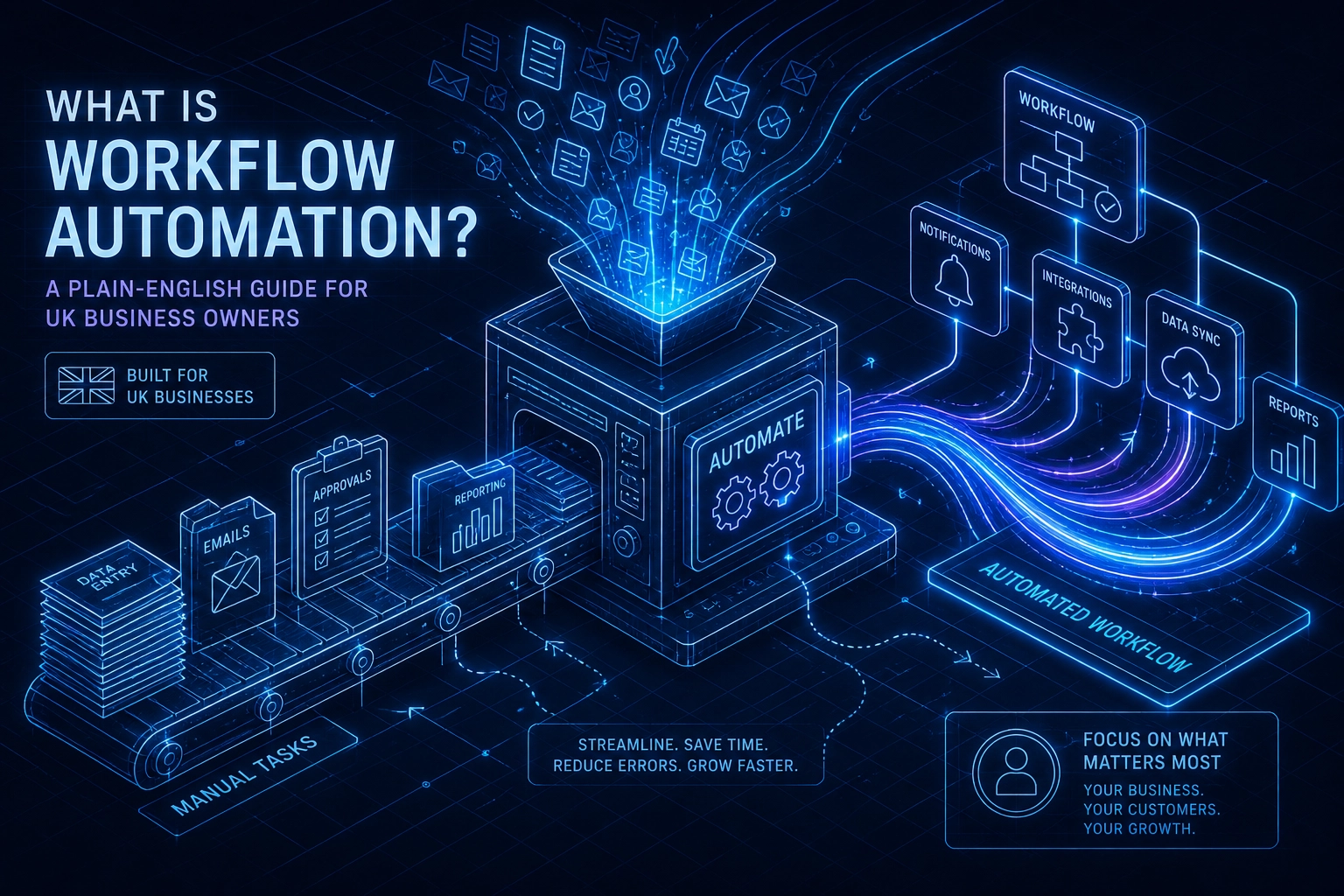
Workflow automation is software that moves information, triggers actions, and completes repeatable tasks between your business tools without anyone having to do it manually each time.
That distinction matters. When people hear "automation in business," they often picture robots replacing staff or sweeping digital transformation programmes. Workflow automation is neither. It handles the connective tissue between steps your team already takes: the copying, the notifying, the filing, the chasing. The rules-based logic that nobody enjoys doing but everyone has to.
To build a working mental model, separate the two words. A workflow is a sequence of steps required to complete a task. Automation removes the manual effort from executing those steps. Put them together and you get a system that runs the sequence for you, every time, without human intervention.
Here is a concrete example. A client fills in your contact form. Without automation, someone reads the submission, manually logs it in the CRM, types a confirmation email, and pings a colleague. With workflow automation, all three happen simultaneously the moment the form is submitted, and nobody touches a keyboard.
That example also clarifies what workflow automation is not. It is not AI making judgements on your behalf. It is not a months-long digital transformation project. And it is not reserved for large enterprises; the same logic that works for a 500-person firm works equally well for a five-person consultancy. When configured well, it consistently reduces errors and improves consistency across every process it touches.
Workflow Automation vs. General Business Automation: What Is the Difference?
"Automation in business" is an umbrella term wide enough to cover factory robotics, AI-generated financial reports, and everything in between. Workflow automation is a specific subset of that: it targets the handoff points between tasks, people, and systems, the moments where work passes from one step to the next and someone currently has to push it along manually.
A payroll example makes the boundary concrete. Your payroll software automatically calculating gross pay from hours worked is general automation; it performs a calculation without human input. But the surrounding process, collecting timesheets from staff, chasing a manager's approval, exporting the final figures, and notifying employees that their pay is processed, is a workflow. Each of those steps is a handoff, and each can be automated.
You may also encounter the term business process automation (BPA) in search results, often used interchangeably with workflow automation. The distinction is one of scope: BPA typically refers to orchestrating multiple workflows across an entire end-to-end process, sometimes spanning several departments. Workflow automation is narrower and more tactical, which is precisely what makes it an accessible entry point. You do not need to redesign your whole operation to benefit from it.
Most successful automation projects begin with a single, clearly defined workflow rather than a company-wide transformation. Identify one process, automate it well, and build confidence before expanding scope.
The three scenarios below do exactly that, using real UK business contexts. If you want to understand what the right automation approach for your business could look like in practice, read on.
Scenario 1: Document Handling Without the Back-and-Forth
The manual document process is where many UK SMEs quietly haemorrhage time. A proposal goes out by email, a follow-up gets added to a to-do list, the signed version comes back to the wrong inbox, and someone updates a spreadsheet, if they remember. For firms handling ten or more documents a month, this cycle is slow, error-prone, and nearly impossible to audit.
An automated document workflow removes every manual handoff in that chain:
A document is generated automatically from a pre-built template
It is sent directly to the client for e-signature
The CRM or project management system updates the document status without anyone touching it
If no signature is received within 48 hours, a follow-up reminder triggers automatically
Once signed, the completed document is filed to the correct folder without manual intervention
For teams processing documents at volume, the time saving compounds quickly, every manual handoff removed is time redirected to billable work. Every document either completes or escalates on schedule; nothing falls through the cracks.
The integration lift is lower than most owners expect. This workflow connects tools most UK businesses already have: an email platform, cloud storage such as Google Drive or SharePoint, and a CRM or project management tool. No existing systems need replacing.
For professional services firms, accountancies, estate agencies, and consultancies, this is consistently the strongest first automation to implement. The process is well-defined, the volume justifies it, and the compliance benefits, a clean audit trail for every document, are immediately tangible. The same logic applies beyond client documents; the impact on your hiring workflow follows an identical pattern, with offer letters and contracts replacing client proposals.
Scenario 2: Automated Reporting That Actually Gets Read
Reporting is where time quietly disappears in most UK small businesses. Someone, usually a manager or the owner themselves, spends a significant block of time each week pulling figures from separate systems, assembling a spreadsheet, and emailing a summary to the team, only for that summary to reflect last week's reality rather than today's.
The automated alternative removes every manual step. Data is drawn from your source systems on a fixed schedule, compiled into a consistent format, and delivered to the right people automatically. No aggregation, no copying, no chasing.
This applies broadly across business functions. Sales pipeline snapshots, weekly cash flow summaries, project status updates, and customer support ticket volumes can all be reported automatically once the workflow is configured. The same underlying logic handles each one: pull, compile, deliver.
A common objection at this point is that the data lives in too many different places. Workflow automation tools are built specifically to bridge disparate systems, so that concern, while understandable, rarely proves to be the blocker owners expect. As with any automation, start with one report, the same principle covered in the document-handling scenario applies here.
Business reporting should not require manual work, and the secondary benefit of automating it goes beyond saved hours. When reports arrive consistently and on schedule, decisions are made on current information rather than figures that are already days old. That shift in data quality has a compounding effect on every judgement that follows.
Scenario 3: Customer Follow-Up That Never Falls Through the Cracks
In most UK SMEs, customer follow-up runs entirely on memory. A lead comes in on a busy Tuesday, gets a mental note, and is forgotten by Thursday. Post-purchase check-ins are intended but rarely happen. Renewal conversations are missed not because anyone is negligent, but because operational overload fills every available hour.
Automation closes that gap with simple, reliable logic. A new enquiry arrives; within minutes the contact receives a personalised acknowledgement sent from your actual business email address. Simultaneously, a task is created and assigned to the responsible team member. If no action is logged within a defined timeframe, an escalation reminder fires automatically. Nothing waits on someone remembering.
The same principle extends post-sale. Once a project completes or an order ships, a timed sequence can request a review, check satisfaction, and flag the customer to your team for a cross-sell conversation at the right interval, whether that is 30 days or 90 days later.
None of this feels robotic to the recipient. Every message is written by you, sent from a real address, and triggered by that customer's actual behaviour. The experience reads as attentive, not automated.
Consistent follow-up supports conversion, repeat business, and retention, outcomes that compound over time without adding headcount. In our work across UK businesses, customer follow-up is consistently among the highest-return automations we implement.
What Workflow Automation Tools Are Available and How Do They Compare?
Once you have seen what workflow automation can do, the natural next question is: what tools actually deliver it, and which is right for your business?
Workflow automation tools fall into two broad categories. No-code and low-code platforms use visual, drag-and-drop interfaces that allow non-technical staff to build and adjust automations without writing a single line of code. Custom-built solutions are developed for businesses whose requirements cannot be met by off-the-shelf platforms.
No-code platforms perform well for straightforward, clearly defined workflows. They connect common SaaS tools quickly, allow operations staff to prototype independently, and can reduce setup time from weeks to days. If your workflow follows predictable logic and involves widely used business software, a no-code platform is often sufficient.
Their limits become apparent in more demanding contexts. Highly specific business logic, integrations with legacy or industry-specific systems, and workflows processing hundreds of daily transactions tend to require custom development or a specialist implementation partner. A visual builder cannot always accommodate the conditional complexity or error-handling precision that mission-critical processes demand.
When evaluating any tool, prioritise four things: the depth of native integrations with your existing stack, how the platform handles errors and failed steps, whether pricing remains reasonable as usage scales, and whether UK-based support or implementation expertise is available.
The most common mistake is choosing the most widely recognised platform rather than the most suitable one. A scoping conversation with an automation specialist clarifies which category of tool your workflows actually need, saving time and avoiding a costly rebuild later.
What Does Workflow Automation Actually Cost and How Long Does It Take?
Once you know which type of solution fits your needs, the next practical question is what it will cost and how quickly you can expect to see it running.
Simple automations are more accessible than most owners assume. A single-workflow automation on a no-code platform typically requires a few hundred pounds in implementation time plus a modest monthly subscription. More complex builds generally require a custom quote; a scoping conversation will establish a firm range based on your specific systems and logic.
The ROI case is straightforward to model. A workflow saving one team member five hours per week recovers 260 hours annually. At a typical UK administrative salary cost of £15 to £20 per hour, that is £3,900 to £5,200 in recovered staff time each year from a single automation, often covering the full implementation cost within twelve months.
On timelines: in our experience, a simple workflow can be live within a matter of weeks; multi-system builds take longer depending on integration complexity, a scoping conversation establishes the realistic timeline for your situation.
The cost owners most consistently underestimate is change management. If staff do not understand the new workflow or revert to manual processes out of habit, the technical build delivers nothing. Clear communication and a short handover period are as important as the build itself.
You do not need an in-house technical team. Most UK SMEs partner with an external automation specialist to scope, build, and maintain their workflows. Client feedback from businesses we have worked with gives an honest picture of the process and outcomes.
How to Know If Your Business Is Ready for Workflow Automation
Knowing the cost and timeline is useful. Knowing whether you actually have something worth automating comes first.
Run this three-question check against your current operations:
Does your team perform the same sequence of steps repeatedly throughout the week?
Are tasks regularly forgotten or delayed because they depend on one person remembering?
Is data being manually copied between two or more systems?
If any answer is yes, you have automatable workflows right now.
"Our business is too unique" is the most common objection, and it rarely holds up. Every workflow, regardless of industry, follows the same underlying logic: a trigger occurs, a condition is evaluated, an action executes. What differs between a property management firm and a recruitment agency is the content and the tools, not the pattern. What changed for the institution illustrates exactly this point in practice.
Common early adopters include professional services firms, e-commerce retailers, recruitment agencies, and property management companies, sectors characterised by volume-based, repeatable processes.
Three genuine prerequisites exist before building anything:
A process that is reasonably consistent. Automation cannot fix a workflow that changes constantly.
The right software tools in place, or a willingness to adopt them.
A nominated internal owner who can liaise with the automation partner during the build.
The decision framework is straightforward: if you can describe the workflow in plain steps and you perform it repeatedly, it can almost certainly be automated. Whether the savings justify the investment is a question a scoping conversation answers within an hour.
Key Takeaways: Making Workflow Automation Work for Your Business
Once you can describe a workflow in plain steps and confirm your team repeats it regularly, the decision becomes straightforward. Here is what this guide has covered to help you reach that point.
Everything in this guide points to one practical question: do you have a repeatable process your team currently handles manually?
The three starting points with the strongest return for UK SMEs are:
Document handling: automated generation, chasing, and filing of contracts and proposals
Reporting: scheduled data collection and delivery without manual aggregation
Customer follow-up: triggered acknowledgements, task creation, and escalation reminders that ensure no enquiry or renewal opportunity is missed
The cost case works out, as the earlier section shows, within the first year for most implementations.
That list of steps is all the preparation a scoping conversation needs.
Automation by Meir works with UK businesses to scope, build, and maintain custom workflow automations. A no-obligation discovery call is the lowest-friction way to find out which workflows in your specific operation are worth automating first.